
Prompts
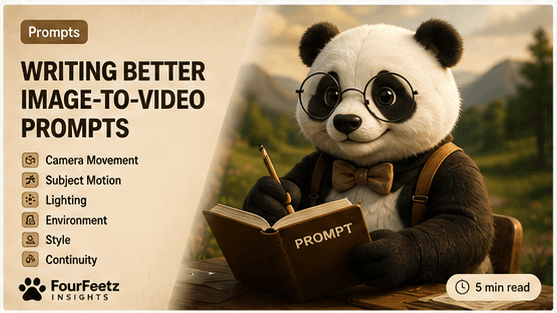
Writing Better Image-to-Video Prompts
A practical framework for writing prompts that generate more consistent AI videos with better motion, lighting, camera control and character continuity.
Introduction
In AI video production, the prompt is often more important than the model itself. A powerful model can still produce weak results when the direction is vague, overloaded, or inconsistent from shot to shot.
A well-written prompt reduces retries because it gives the tool a clear subject, one action, a stable environment, consistent lighting, and a camera move that can actually be animated. Better prompts do not remove experimentation, but they make each generation easier to judge and improve.
The FourFeetz Prompt Formula
FourFeetz prompts are built from the same order every time. This keeps creative direction readable and helps compare results across tools like Runway, Kling, and Veo.
FourFeetz Prompt Formula
Character
The character section protects identity. It should describe the subject clearly without changing the core details between scenes.
Species
Name the animal or subject clearly so the model starts from the right form.
Age
Use simple age language such as puppy, adult, young, or elderly.
Appearance
Describe color, size, face shape, fur, and recognizable silhouette.
Clothing
Include only clothing that matters for identity or story continuity.
Accessories
Repeat important details such as scarf, collar, bag, or prop in every scene.
Expression
Use emotional words that support the shot: curious, calm, joyful, focused.
Consistency
Keep the same character description across shots instead of rewriting it every time.
Good Example
A fluffy white Jindo puppy wearing a small brown scarf, curious expression, consistent face and soft fur.
Bad Example
A cute dog, maybe wearing something, looking nice in a beautiful scene.
Action
Action wording should be simple and visible. The best action prompts describe one physical movement that can happen in a short clip.
Walking
Walks slowly forward with natural body movement.
Running
Runs lightly along the road with energetic but believable motion.
Looking Around
Turns the head gently and looks around with curiosity.
Jumping
Makes one small jump over a low object, then lands naturally.
Sitting
Sits calmly and looks toward the warm light.
Sleeping
Sleeps peacefully with subtle breathing and soft fur movement.
Environment
Environment gives the character a believable world. Describe the location, weather, season, surface, and background details that affect the shot.
Forest
Mention trees, path texture, shade, leaves, and depth.
Beach
Use sand, sea breeze, low waves, horizon, and coastal light.
Mountain
Define altitude, rocks, trail, distance, and open sky.
Studio
Describe backdrop, controlled lights, floor, and clean composition.
Street
Include road surface, buildings, signs, traffic mood, and scale.
Cafe
Use tables, window light, warm interior, and soft background activity.
Weather
Keep weather specific: light rain, clear sky, fog, snow, or wind.
Season
Name spring, summer, autumn, or winter to control color and atmosphere.
Lighting
Consistent lighting improves AI video because it connects separate shots into one visual timeline. When lighting changes randomly, the same character can look like it belongs to a different project.
Golden Hour
Warm, low-angle light that makes scenes feel cinematic and emotional.
Morning
Clean, gentle light for calm beginnings and quiet outdoor scenes.
Cloudy
Soft even light that reduces harsh contrast and keeps details readable.
Sunset
Stronger mood, warmer contrast, and a natural ending feeling.
Soft Light
Useful for portraits, close-ups, and character-focused shots.
Studio Lighting
Best for controlled product-like visuals, portraits, and repeatable looks.
Camera
Camera language should be physically plausible. Choose one camera behavior per shot so the model can understand how the frame should move.
Tracking Shot
Use when the subject is moving and the camera should follow beside or behind it.
Push In
Use for emotional emphasis, discovery, or a quiet reveal.
Pull Out
Use to reveal the environment or make a character feel small in a larger world.
Orbit
Use carefully for hero shots or product-like character presentation.
Pan
Use to move attention from one side of the scene to another.
Tilt
Use to reveal height, scale, sky, trees, buildings, or a character looking up.
Crane
Use for dramatic reveals and large environmental transitions.
Dolly
Use for smooth cinematic movement that feels physically grounded.
Style
Style changes the entire result. Realistic photography, cinematic film language, animation, clay texture, and illustration each ask the model to create a different world.
For series work, choose one style family and repeat it. Combining too many style words can make the output feel visually confused.
Realistic
Creates a grounded look that feels closer to live-action photography.
Cinematic
Adds film language, mood, lens behavior, and stronger atmosphere.
Pixar
Creates a stylized animated feeling with soft character appeal.
Anime
Changes line language, expression, color design, and motion energy.
Clay
Creates tactile handmade texture and stop-motion-like charm.
Illustration
Moves the result toward designed artwork rather than photographic realism.
35mm
Gives the prompt a familiar film-lens direction and natural perspective.
Shallow Depth of Field
Separates the subject from the background and gives the image premium focus.
Negative Prompt
Negative prompts reduce common AI video errors. They cannot guarantee a perfect result, but they help tell the model what should not appear in the frame.
No extra limbs
Reduces anatomy errors in movement-heavy shots.
No text
Prevents accidental signs, labels, or unreadable generated words.
No watermark
Keeps the frame clean for publishing and editing.
No blur
Helps protect faces, eyes, and key character details.
No duplicated animals
Reduces accidental copies of the main character in the same frame.
Complete Prompt Example
This example keeps the character, action, lighting, camera, style, and negative prompt clear enough to reuse across multiple tools.
Copyable prompt block
A fluffy white Jindo puppy wearing a small brown scarf happily runs along a countryside dirt road during golden hour.

Smooth tracking shot.

35mm cinematic lens.

Shallow depth of field.

Natural fur movement.

Consistent face.

Warm sunlight.

Realistic photography.

Negative prompt:
extra limbs,
duplicate animals,
blurry face,
text,
watermark.
Prompt Mistakes
Too many actions
One shot should usually contain one main movement goal.
Changing lighting
Different light in every prompt makes continuity feel unstable.
Changing character
Small description changes can create a different subject across scenes.
Changing style
Mixing realistic, anime, and illustration language breaks visual identity.
Changing camera
Too many camera moves make motion harder to control.
Very long prompts
Long prompts often bury the most important direction inside noise.
FourFeetz Recommendations
Prompt writing becomes stronger when it is treated like production direction, not decoration. Keep the core identity stable, choose one visible motion, and reuse the same camera and lighting language until the sequence feels connected.
Keep prompts under 120 words
Short prompts are easier to test, compare, and reuse.
Use only one action
One action gives the video model a clear motion target.
Keep lighting fixed
Stable lighting helps separate shots feel like one sequence.
Reuse the same character description
Repeat identity details instead of improvising them scene by scene.
Reuse the same camera style
Consistent lens and camera language creates a stronger film grammar.
Final Recommendation
The best image-to-video prompts are not the longest prompts. They are the clearest prompts. They describe a stable character, one action, one environment, one lighting direction, one camera behavior, and one style language.
For FourFeetz-style AI filmmaking, prompt quality is a continuity system. It helps every scene feel like part of the same world.
FourFeetz Verdict
Prompt Simplicity
4.8/5
Consistency
4.7/5
Camera Control
4.5/5
Ease of Use
4.6/5
Video Quality
4.6/5
Overall
4.6/5
Related Articles
Continue Exploring
Runway Gen-4 Review
A practical review of character consistency, motion quality, and camera control.
Open
Kling vs Veo
A side-by-side comparison of AI video tools for cinematic production.
Open
AI Video Workflow
A repeatable production workflow from planning to publishing.
Open
Camera Movement Guide
A guide to tracking shots, push-ins, orbits, pans, tilts, and cinematic AI camera movement.
Open