
Filmmaking
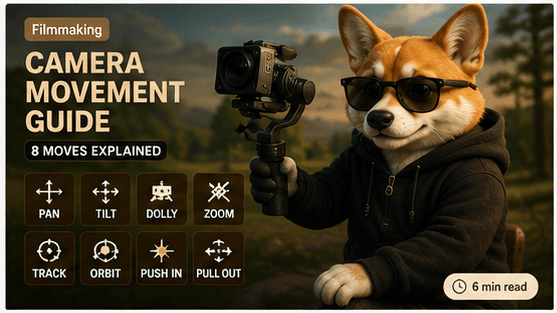
Camera Movement Guide for AI Filmmakers
Learn the most useful cinematic camera movements for AI-generated videos, including tracking shots, push-ins, pull-outs, orbits, pans, tilts and smooth transitions.
Introduction
Camera movement is one of the fastest ways to make AI-generated video feel cinematic instead of static. A beautiful frame can still feel flat if the camera has no intention, rhythm, or emotional direction.
For AI filmmakers, the goal is not to use the most complicated camera move. The goal is to choose one movement that supports the story, protects character consistency, and feels physically believable.
Quick Verdict
Best Beginner Movement
Tracking Shot
Best Storytelling Movement
Push In
Best Cinematic Movement
Orbit
Best Dialogue Movement
Slow Dolly
Best Reveal Movement
Pull Out
Why Camera Movement Matters
Camera movement gives an AI scene a point of view. It controls attention, changes emotion, supports transitions, reveals depth, and makes generated footage feel closer to real filmmaking.
Viewer attention
Movement guides the eye and keeps an AI-generated shot from feeling like a still image.
Emotion
A push-in can feel intimate, while a pull-out can create distance, wonder, or closure.
Scene transition
Camera movement helps connect one shot to the next and makes a sequence feel intentionally directed.
Depth
Tracking, dolly, pan, and tilt movements reveal foreground, subject, and background relationships.
Realism
Physically plausible camera movement makes generated footage feel filmed rather than simply rendered.
Tracking Shot
A tracking shot follows a subject through space. It is one of the most useful AI video movements because it connects subject motion, camera motion, and environment in a clear direction.
When to use
Use tracking when a character walks, runs, drives, or moves through a clear environment.
Advantages
It creates direction, continuity, travel energy, and a natural sense of screen movement.
Example prompt
Smooth forward tracking shot following the subject along a countryside path, stable framing, realistic motion.
Common mistakes
Avoid combining tracking, zooming, panning, and orbiting in the same short generation.
Push In
A push-in moves the camera closer to the subject. It works especially well for emotional close-ups, character reveals, and hero shots where the viewer should feel pulled into the moment.
Emotional close-up
A push-in moves the viewer closer to the subject and makes the emotional beat feel stronger.
Character reveal
Use it when the audience should notice a face, expression, costume detail, or story clue.
Hero shot
A slow push-in can make a character feel important without adding loud visual effects.
Example prompt
Slow cinematic push-in toward the character's face, warm light, shallow depth of field, stable expression.
Pull Out
A pull-out moves the camera away from the subject. It is useful for ending scenes, revealing a large environment, and showing the scale of a world around a character.
Ending scenes
A pull-out gives the final shot space to breathe and can create a quiet sense of closure.
Large environment
Use it when the audience should discover the world around the subject.
Scale
Pulling out can make a character feel small inside a larger landscape or story moment.
Example prompt
The camera slowly pulls back from the subject to reveal a wide countryside road at sunset.
Orbit
Orbit moves the camera around the subject. It can create a premium cinematic feeling, but it works best when the subject is stable and the prompt avoids extra actions.
Character showcase
Orbit works best when the subject is stable and the shot is about presentation.
Epic moments
A controlled orbit can make a scene feel larger, more dramatic, and more cinematic.
Fantasy scenes
Use orbit for magical reveals, stylized worlds, and dramatic character entrances.
Example prompt
Slow 180-degree orbit around the character, stable face, cinematic lighting, soft background depth.
Pan and Tilt
Pan and tilt are simple movements for revealing space. A pan moves horizontally. A tilt moves vertically. Both are most reliable when the motion is slow and connected to a clear visual reason.
Pan
A pan moves horizontally, revealing a scene from left to right or following a subject across the frame.
Tilt
A tilt moves vertically, revealing height, sky, trees, buildings, or a subject looking up.
Smooth motion
Pan and tilt work best when the speed is slow and the subject remains visually clear.
Example prompt
Slow pan across a quiet studio scene, settling gently on the character, smooth cinematic motion.
Dolly Zoom
Dolly zoom is one of the hardest camera moves for AI video because it combines camera movement with changing lens perspective. It can look powerful when it works, but it is less reliable than tracking, push-in, or pull-out shots.
Why it is difficult
Dolly zoom requires coordinated camera movement and lens behavior, which AI tools may interpret unevenly.
When AI handles it well
It works best with simple subjects, clean backgrounds, short prompts, and limited scene action.
Limitations
Fast changes can distort faces, scale, background geometry, and character proportions.
FourFeetz Camera Workflow
FourFeetz treats camera movement as a sequence of story decisions. Start with a stable reference image, then choose the movement that supports each beat.
Copyable Prompt Examples
These prompt blocks are intentionally focused. Each one uses one camera movement, one subject direction, and one visual style so the model has less to untangle.
Tracking Shot
A cinematic animal character walks along a countryside path during golden hour. Smooth forward tracking shot, stable subject framing, natural fur movement, 35mm lens, shallow depth of field, warm sunlight, realistic motion, consistent face and outfit.Push In
A cinematic animal character pauses and looks toward the camera during golden hour. Slow push-in toward the face, emotional close-up, stable expression, 35mm lens, shallow depth of field, warm sunlight, realistic motion, consistent face and outfit.Pull Out
A cinematic animal character stands quietly on a countryside path at sunset. The camera slowly pulls out to reveal a wide landscape, stable subject framing, warm sunlight, realistic atmosphere, 35mm lens, consistent face and outfit.Orbit
A cinematic animal character stands still in warm golden-hour light. Slow 180-degree orbit around the character, stable face, consistent outfit, soft background depth, realistic camera movement, premium cinematic framing.Pan
A quiet cinematic countryside scene during golden hour. Slow horizontal pan from the landscape toward the animal character, smooth camera motion, stable subject framing, warm sunlight, realistic photography, 35mm lens.Tilt
A cinematic animal character looks up beneath tall trees during soft morning light. Slow upward tilt from the character to the trees and sky, stable framing, natural movement, realistic atmosphere, consistent face and outfit.Common Mistakes
Fast camera
Fast movement often causes blur, distortion, unstable faces, and weak character consistency.
Too many movements
A prompt that asks for tracking, zooming, orbiting, and panning at once usually loses control.
Conflicting directions
Avoid asking the camera to move left while the subject runs right and the background moves forward.
Changing subject
Camera direction cannot protect continuity if the character description changes every shot.
Ignoring lighting
Movement looks less cinematic when lighting changes randomly between connected shots.
FourFeetz Recommendations
Camera prompts become more reliable when they are slow, specific, and supported by a strong reference image. The best camera direction feels like something a real camera operator could actually do.
Keep one movement
Choose one camera behavior per generation so the model has a clear target.
Use slow speed
Slow movement feels more premium and reduces visual errors.
Use cinematic lens
Lens language such as 35mm and shallow depth of field helps define the shot.
Reuse reference image
A stable first frame improves subject consistency and camera framing.
Use golden hour
Warm consistent light makes separate shots feel connected and intentional.
Final Scores
FourFeetz Score Table
Tracking Shot
5.0/5
Push In
5.0/5
Pull Out
4.5/5
Orbit
4.3/5
Pan
4.1/5
Tilt
4.0/5
Dolly Zoom
3.5/5
Verdict
Start with tracking shots and push-ins. They are simple, cinematic, and reliable across many AI video tools. Add orbit shots only when the subject is stable and the scene needs a premium reveal.
For FourFeetz-style AI filmmaking, camera movement should support emotion and continuity. One slow movement usually feels more professional than several dramatic movements fighting each other.
Related Articles
Continue Exploring
Runway Gen-4 Review
A practical review of character consistency, motion quality, and camera control.
Open
Kling vs Veo
A side-by-side comparison of AI video tools for cinematic production.
Open
AI Video Workflow
A repeatable production workflow from planning to publishing.
Open
Writing Better Image-to-Video Prompts
Prompt structure for movement, lighting, environment, and continuity.
Open
Best AI Music Tools
AI music tools for cinematic videos, character stories, and YouTube workflows.
Open