
AI Video
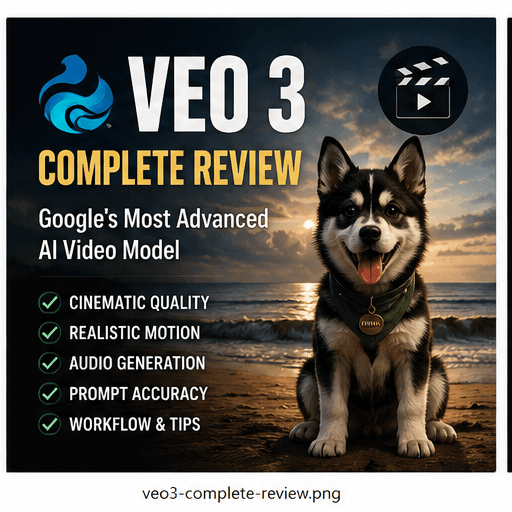
Veo 3 Complete Review
A practical Veo 3 review for AI filmmakers covering image quality, motion, prompt following, character consistency, camera control, workflow and pricing.
Quick Verdict
This quick verdict summarizes where the tool or workflow fits best inside a practical FourFeetz production pipeline.
Best For
Cinematic image quality
Strongest Area
Camera and atmosphere
Needs Care
Workflow speed
Overall
Premium final shots
Introduction
Veo 3 is best evaluated by asking whether its outputs can survive real production: editing, continuity checks, character review and publishing.
For cinematic AI work, the strongest tools are not always the fastest. They are the tools that produce shots with enough polish and stability to become part of a finished film.
Image Quality
Image quality is Veo 3's most obvious strength. The strongest clips feel polished, dimensional and camera-aware, with natural lighting and premium composition.
For FourFeetz-style character films, this matters because a single weak shot can make the whole sequence feel unfinished.
Motion
Veo 3 handles slow, believable motion especially well. Gentle walking, emotional close-ups and cinematic camera movement are more reliable than overloaded action scenes.
Works Well
Slow movement, atmospheric shots and controlled camera paths.
Needs Review
Fast running, complex interaction and multi-step action.
Prompt Following
Prompt following is strongest when the prompt is short and visual. The first frame, lighting and camera direction should do most of the work.
Copyable prompt block
A quiet cinematic close-up of an original animal character looking toward warm sunset light. Slow push-in, soft natural fur movement, shallow depth of field, emotional tone, stable face and accessories.Character Consistency
Veo 3 performs well when the reference image already contains the correct character design. It is especially useful for close-ups and hero shots where identity needs to remain clear.
Consistency still depends on prepared character sheets, reusable prompts and avoiding unnecessary changes between scenes.
Camera
Camera behavior is one of Veo 3's biggest advantages. Push-ins, slow dolly shots and cinematic reveals often feel more physically plausible than with faster iteration tools.
Workflow
The best workflow is to use Veo 3 for hero-quality shots rather than every test. Create references elsewhere, test motion quickly if needed, then use Veo 3 where polish matters.
Pricing
Pricing and access should be checked before production because plans can change. For studios, the key calculation is whether final-shot quality reduces editing and regeneration time.
Strengths
Veo 3 is strongest when the output needs to feel cinematic, premium and emotionally controlled.
Premium Look
Strong image quality and atmosphere.
Camera Control
Smooth movement and believable framing.
Close-ups
Good for character moments and polished hero shots.
Consistency
Reliable when reference material is strong.
Weaknesses
The main weaknesses are speed, cost awareness and the need for strong pre-production. It is not a shortcut around planning.
Slower Iteration
Better for final candidates than rough testing.
Still Needs Direction
Weak prompts and weak references remain weak inputs.
Complex Action
Fast motion still requires careful review.
Access Planning
Production teams need to track availability and limits.
Final Score
Veo 3 earns its place as a premium AI video tool when cinematic quality is the priority.
Final Scores
FourFeetz practical score
Image Quality
4.9/5
Motion
4.5/5
Prompt Following
4.4/5
Character Consistency
4.7/5
Overall
4.7/5