Workflow
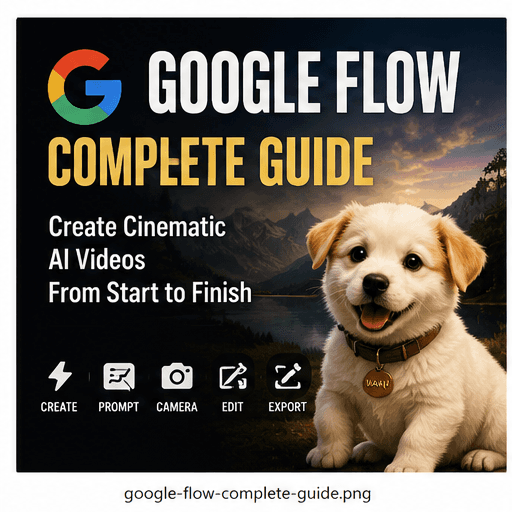
Google Flow Complete Guide
A practical guide to using Google Flow for cinematic AI video workflows, scene planning, prompt control, camera movement and publishing.
Quick Verdict
This quick verdict summarizes where the tool or workflow fits best inside a practical FourFeetz production pipeline.
Best For
Cinematic workflow planning
Core Strength
Scene continuity
Production Fit
AI film sequences
FourFeetz Use
Reference to final edit
Introduction
Google Flow is most useful when treated as a structured production environment rather than a place to chase random generations. The value comes from organizing story, references, scenes, camera language and export decisions into one repeatable workflow.
For FourFeetz Studios, the important question is whether a tool can help create consistent original films, short-form edits and character-based worlds without losing creative control.
What is Google Flow
Google Flow is designed around AI video creation, scene development and cinematic iteration. It gives creators a way to think in sequences instead of isolated clips.
The best results come from preparing the story and visual direction before generation begins, then using Flow to test shots and refine continuity.
Key Features
The most useful features are scene organization, reference-driven direction, camera-aware prompting and export planning for social formats.
Scene Structure
Organize a film as connected shots instead of disconnected outputs.
Reference Control
Use prepared images and visual notes to keep the look consistent.
Camera Language
Plan push-ins, tracking shots, close-ups and transitions before rendering.
Publishing Mindset
Think about horizontal master edits and vertical cutdowns from the start.
Workflow
A clean Flow workflow starts with the story and ends with a publishable edit. Each stage should reduce ambiguity before the next generation step.
Prompt Tips
Prompts work best when they describe one subject, one action, one camera movement and one lighting style. Long prompts often create conflicting priorities.
Keep character descriptions reusable, then change only the action and camera instruction for each shot.
Copyable prompt block
A cinematic original animal character walks through a quiet rural road at golden hour. Smooth tracking shot, stable subject framing, warm natural light, realistic motion, shallow depth of field, consistent character design.Camera Controls
Camera controls matter because they turn an AI clip into a film shot. Slow tracking, push-in, pull-out and orbit movements are easier to edit than uncontrolled drifting motion.
Tracking
Best for movement and journey scenes.
Push In
Best for emotional reveals and character moments.
Pull Out
Best for endings, scale and environment reveals.
Orbit
Best for hero shots and character showcases.
Scene Management
Scene management is where Flow becomes useful for longer work. Keep scene names, reference images, lighting notes and final-frame handoffs organized.
The last usable frame from one shot can become the visual bridge into the next scene when continuity matters.
Export Options
Plan exports for the master film and social versions separately. A 16:9 cinematic master can later become a vertical cut, but only if safe framing and subtitles were considered early.
Strengths
Google Flow is strongest for creators who think like directors: story first, then references, camera, continuity and edit rhythm.
Structured Production
Good for organizing multi-shot work.
Cinematic Direction
Encourages camera and scene thinking.
Reference Workflow
Pairs well with character sheets and moodboards.
Social Adaptation
Useful when planning multiple output formats.
Weaknesses
Flow still needs strong human direction. Weak references, vague prompts and inconsistent shot planning can produce uneven results.
Not Automatic
It does not replace storyboarding or editing.
Reference Dependent
Poor first frames lead to weak clips.
Iteration Needed
Several attempts may be required for final shots.
Continuity Work
Long-form consistency still needs manual review.
Pricing
Pricing and access can change over time, so production teams should confirm the current plan before committing a large workflow. The practical question is less about the cheapest plan and more about whether the tool saves enough iteration time to justify use.
Final Recommendation
Google Flow fits creators who want a more organized AI filmmaking workflow. It is especially valuable when the goal is not one impressive clip, but a sequence of shots that can become a finished story.
Final Scores
FourFeetz practical score
Workflow Simplicity
4.7/5
Scene Management
4.8/5
Camera Control
4.6/5
Export Readiness
4.4/5
Overall
4.7/5